

Healthcare operations
Hospital Management System
One system for registration, OPD, billing, cash and pharmacy — built for a working hospital, not a demo.
- Status Live deployment
- Screens shown 9 real captures
- Built with PHP · SQL Server · Legacy data migration
- 273 legacy screens catalogued for feature parity
- 19 modules, registration through to accounts
- 107,201 historic rows migrated and reconciled
- 0 records lost in the migration
This is a hospital management system we built for a working medical centre, replacing a legacy install that had been accumulating data for years. The migration mattered as much as the software: history had to come across intact.
Designed around the counter, not the org chart
Hospital software fails when it is designed for reports rather than for the person at the registration desk with a queue in front of them. Every field in this system is built to be fast: searchable dropdowns, keyboard-first entry, sensible defaults, and no screen that requires a mouse hunt.
Cash that reconciles
Counter sheets, the day book and shift closing all have to agree at the end of a shift, and the pharmacy is treated as a separate business so that its cash never quietly inflates a hospital report. That separation is deliberate and it is where most off-the-shelf systems get it wrong.
Can we deploy it for you?
Yes — the system is ours. For another hospital or clinic group it is a configuration and migration project rather than a rebuild, which is a very different cost and timeline.
The real thing
Every screen below is the running software
Captured from a working instance loaded with demonstration data — no mock-ups, and no customer records.
-
01
Dashboard
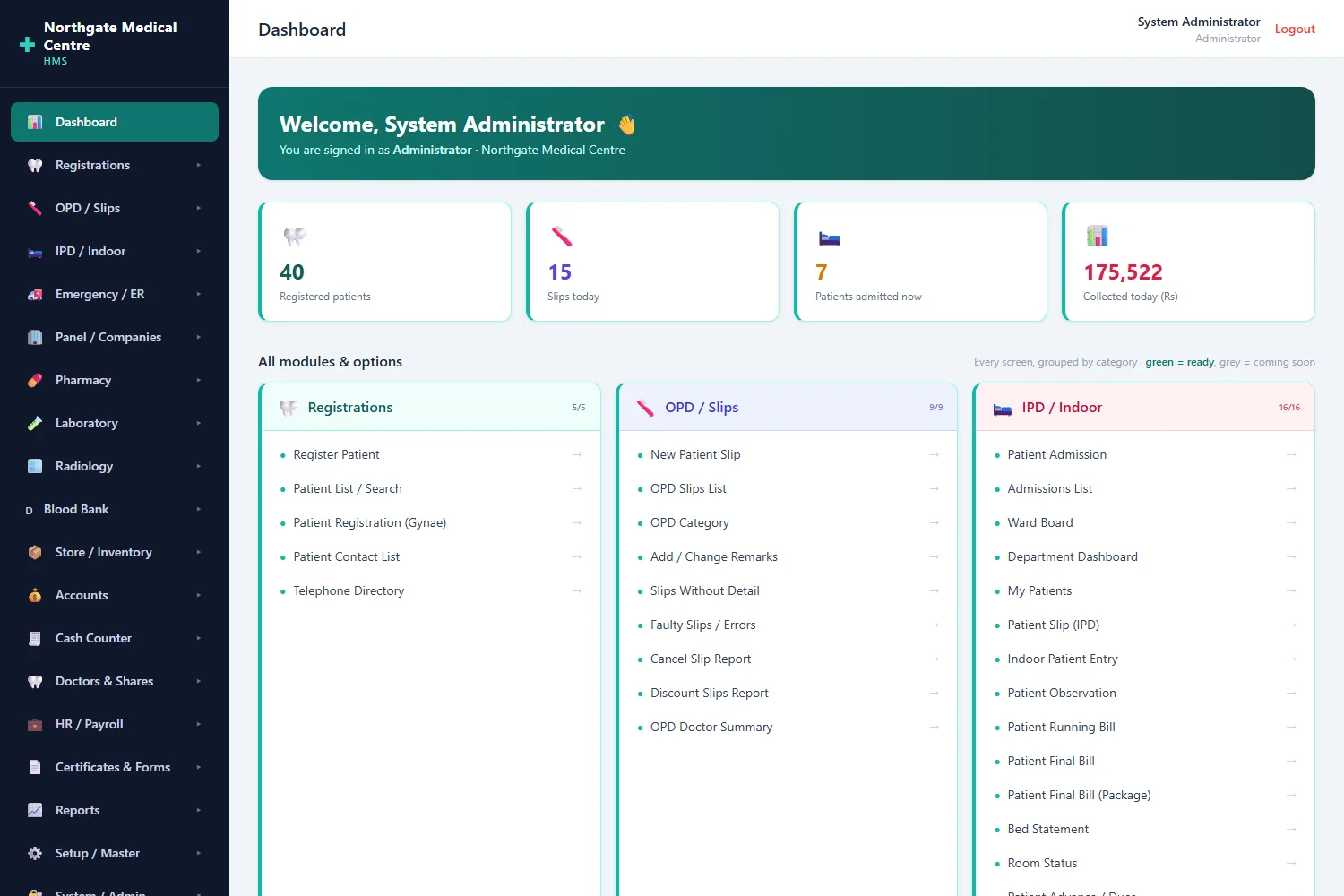
Every module the hospital owns in one grid, with the day’s live numbers above it — patients registered, slips written, beds occupied, cash collected.
-
02
Patient registration
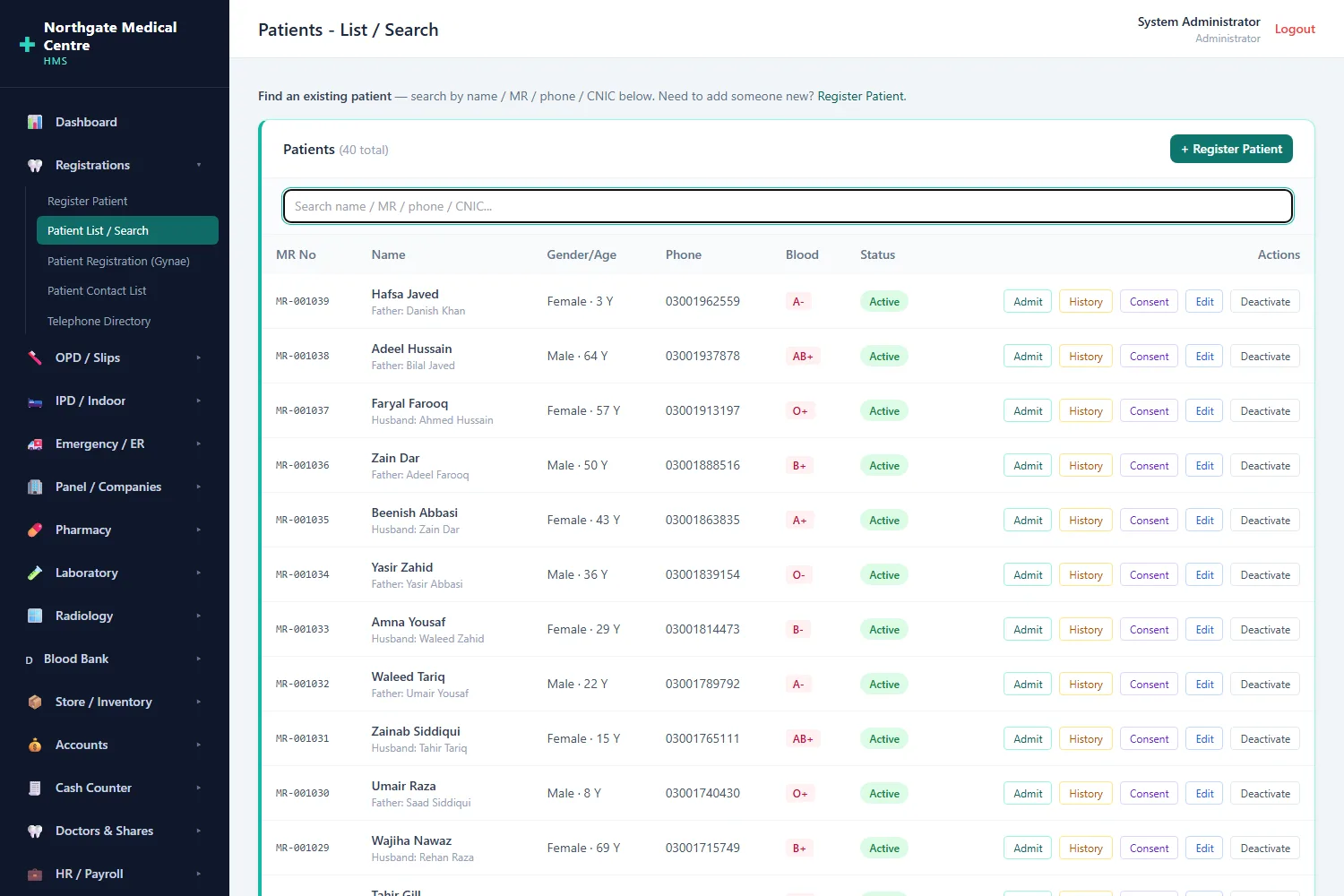
The register, searchable as you type. MR numbers continue from the hospital’s existing records rather than restarting at one.
-
03
Patient slip & billing
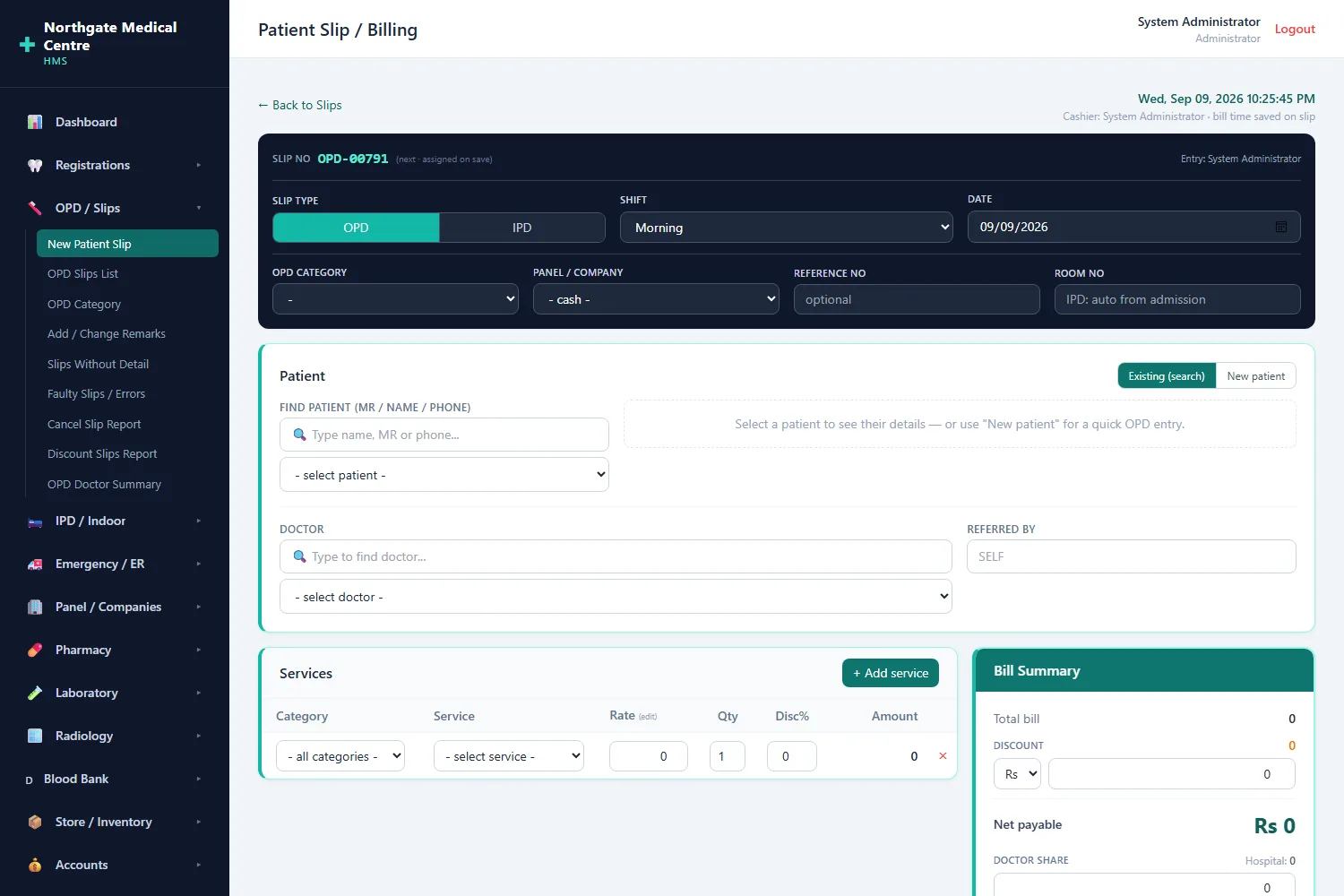
OPD or IPD, shift, doctor, services with editable rates, and a live bill summary — the screen the front desk lives on all day.
-
04
IPD admission
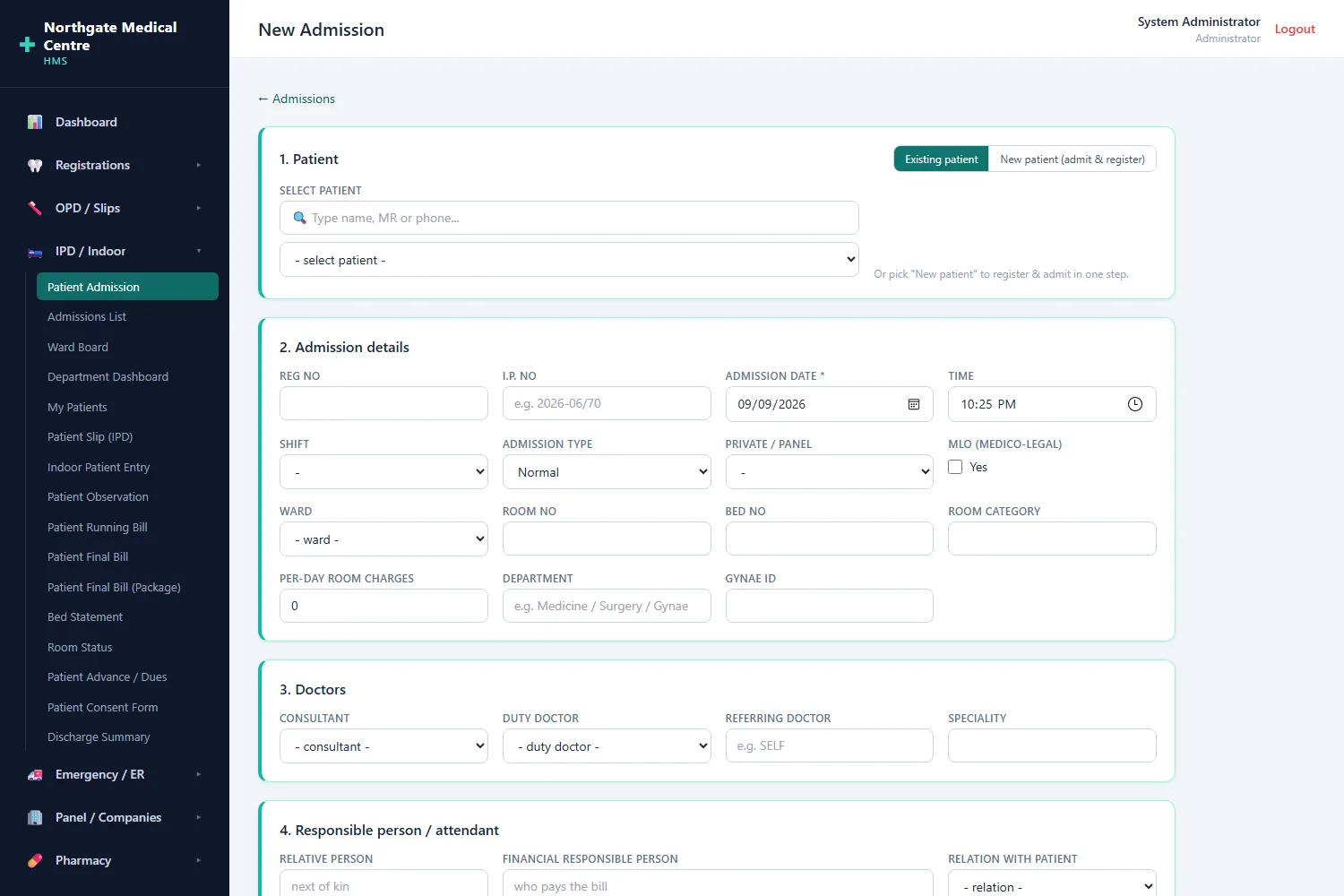
The full admission form, printable for the physical file, with a walk-in patient registered inline instead of in a second screen.
-
05
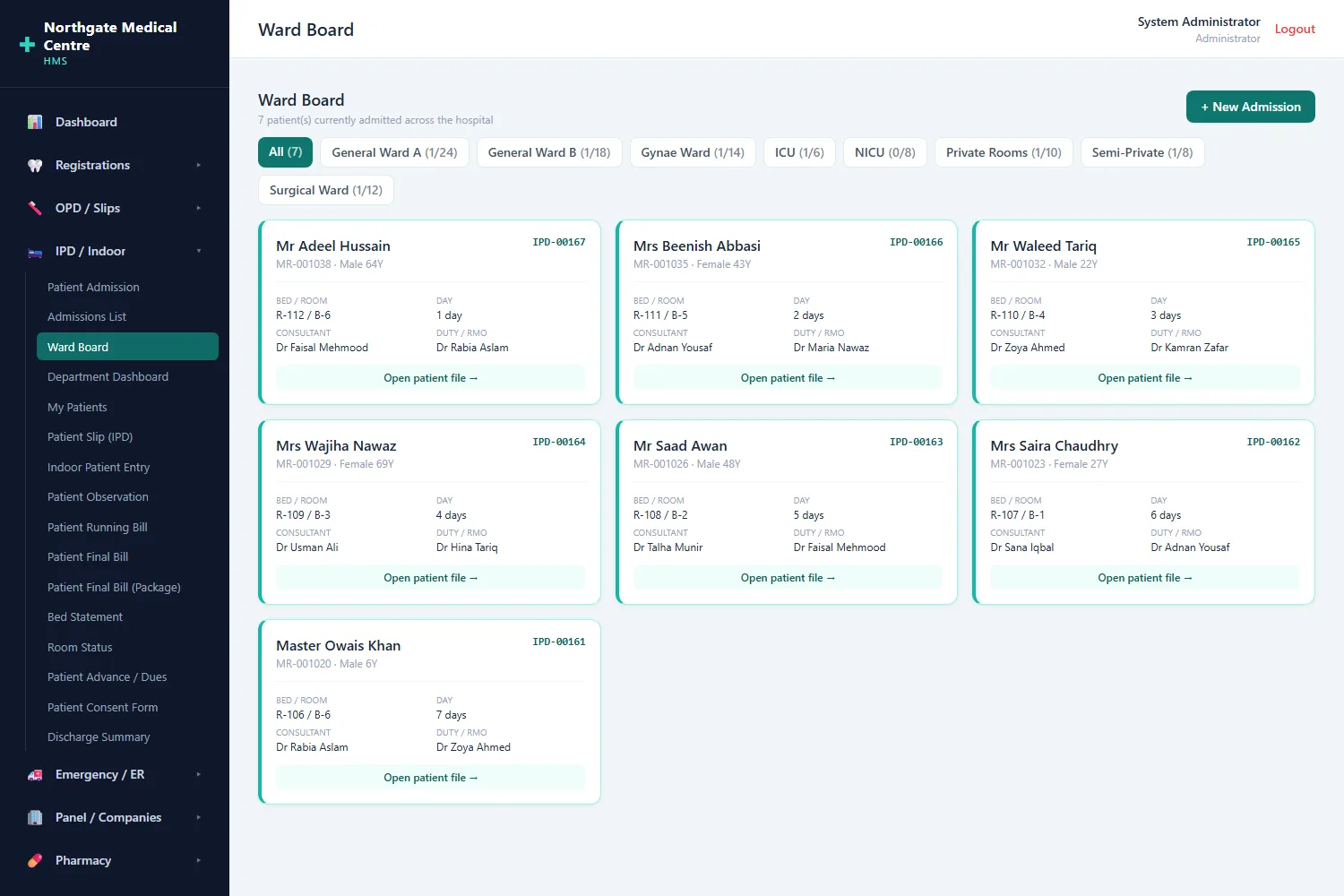
Ward board
Who is admitted, in which bed, under which consultant, and for how many days — filtered by ward.
-
06
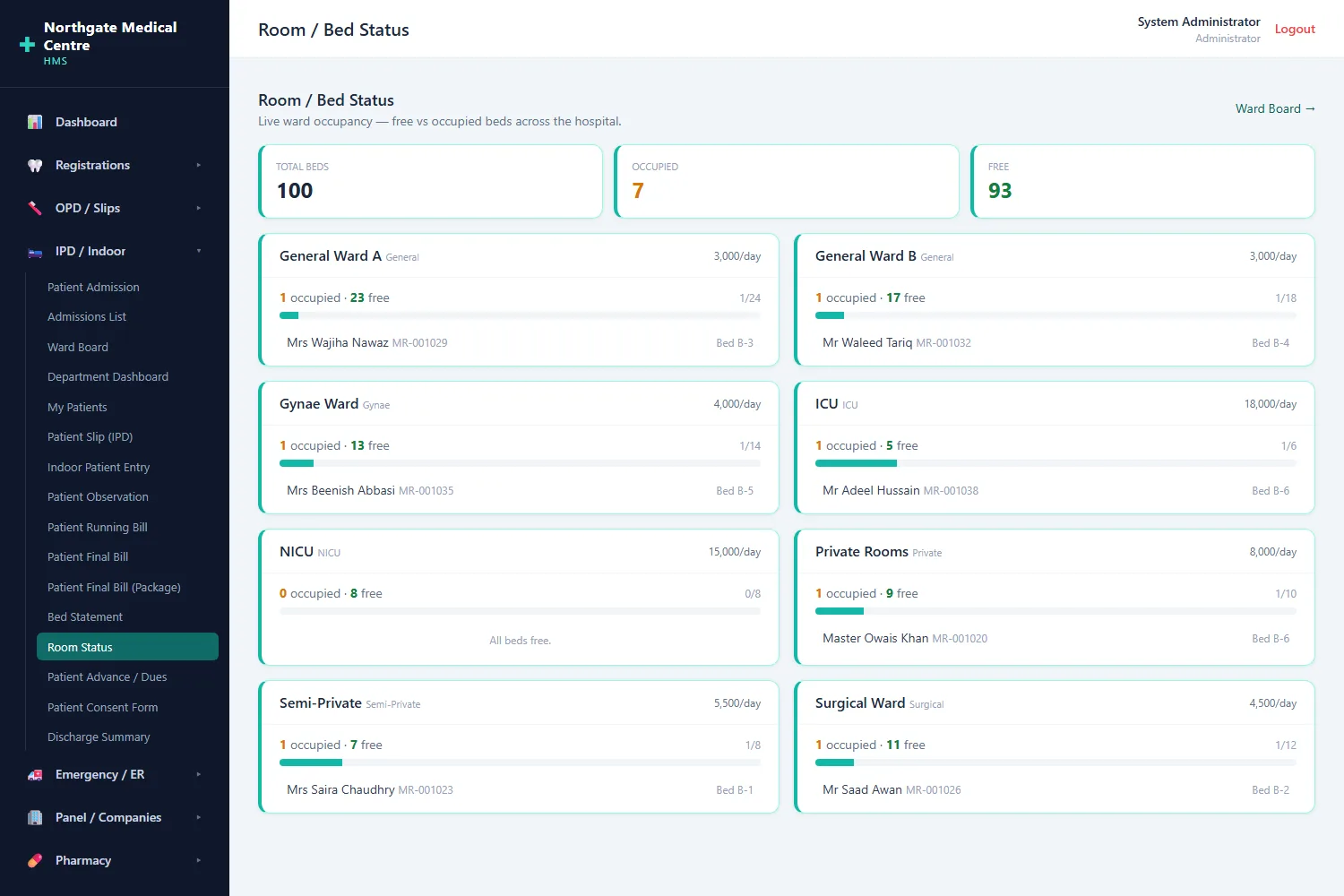
Room & bed status
Free against occupied beds across every ward, so reception can answer “is there a bed?” without walking upstairs.
-
07
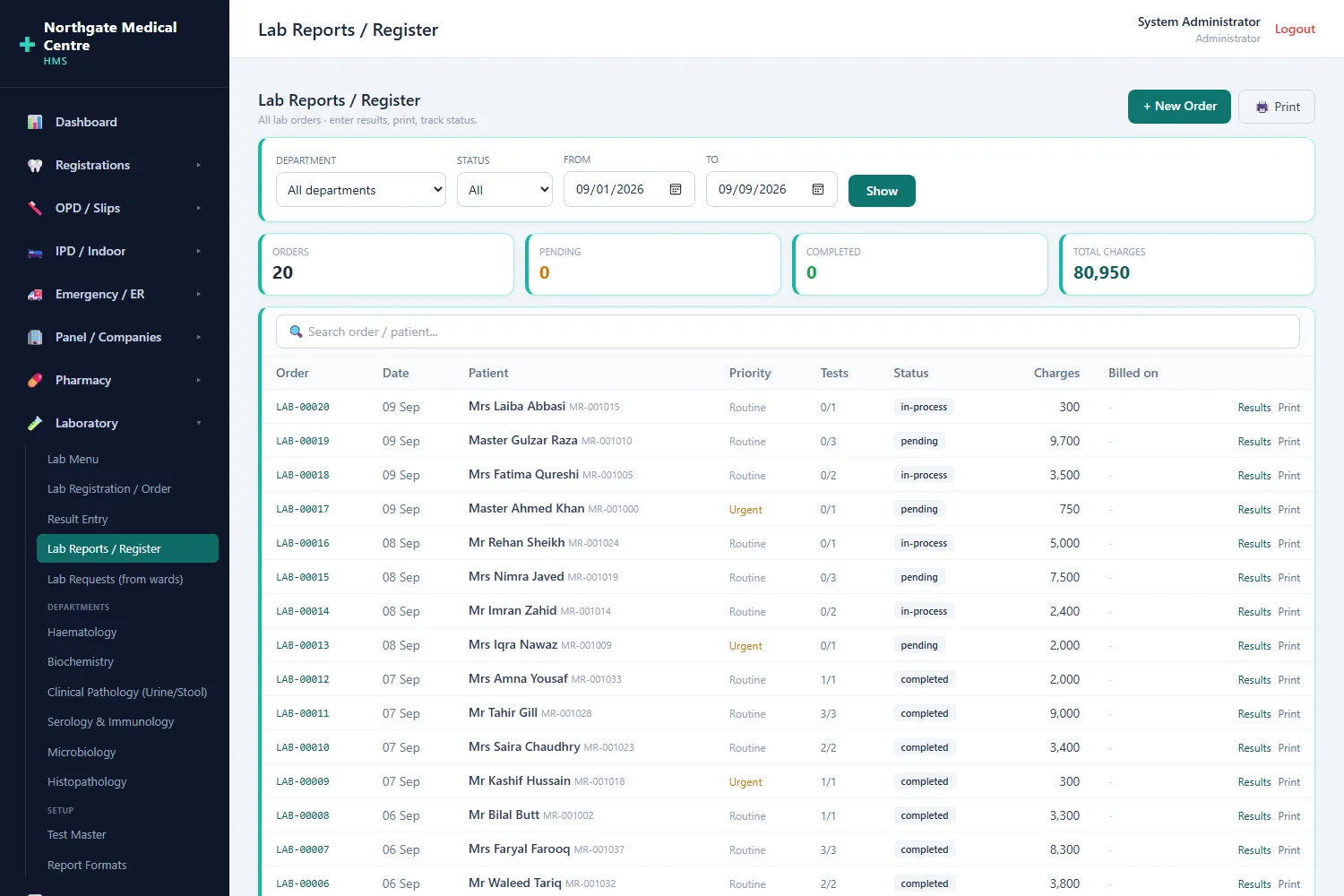
Laboratory register
Every order with its priority, result status and charges, plus result entry and printable report formats behind it.
-
08
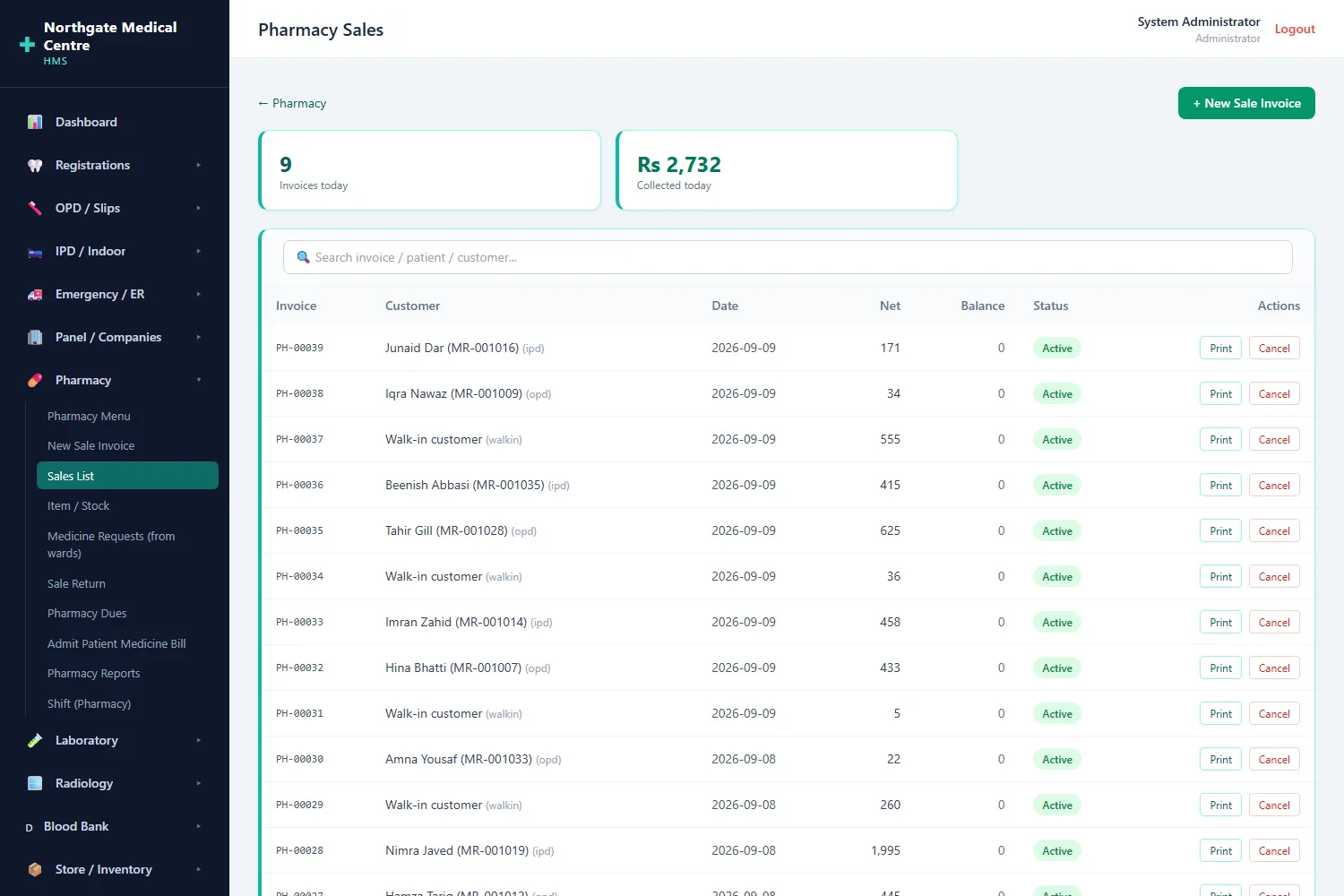
Pharmacy sales
The pharmacy is treated as a separate business: it bills and sells on its own, and its takings never inflate a hospital cash report.
-
09
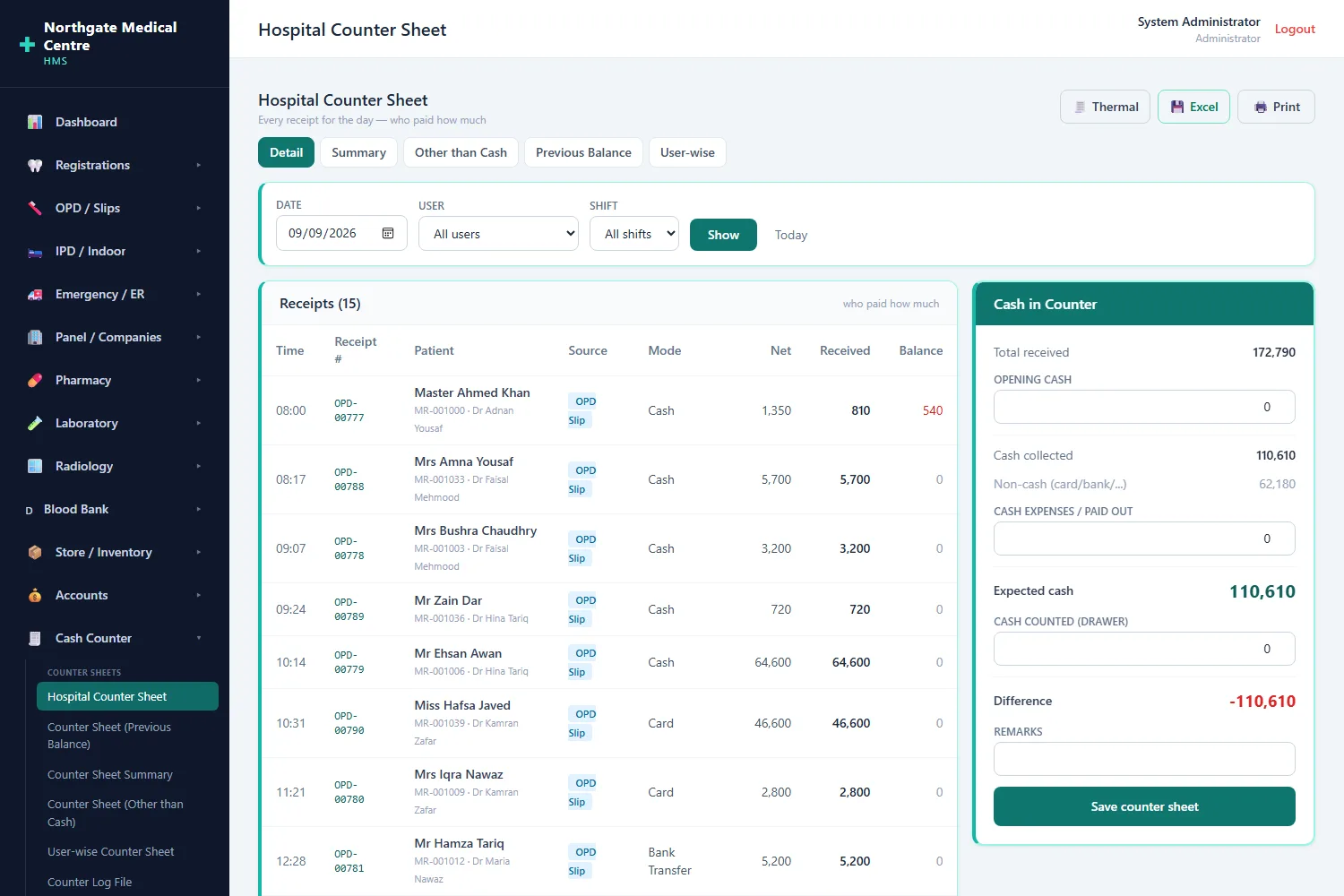
Hospital counter sheet
Every receipt of the shift, line by line, then cash counted against cash expected — the reconciliation the whole day is judged on.
Every screen, side by side — click one to open it full size.
What is inside
The modules that ship with it
Each one is a working screen with its own entry forms and reports, not a line on a roadmap.
Registrations
Patient register, gynae registration, contact list, telephone directory and printable consent forms.
OPD & slips
Fast slip entry with editable rates, categories and remarks, plus discount, cancellation and faulty-slip reporting.
IPD / indoor
Admission, ward board, observations, running and final bills, package bills and discharge summaries.
Emergency & panel
ER intake and billing, and company panels with their own rates, letters and admission reports.
Pharmacy
Item and stock master, point of sale, returns, dues and ward dispensing — billed as a separate business.
Laboratory
Orders, result entry, verification and printable report formats per test and department.
Cash counter
Counter sheets by user and shift, cash-over entries, counter log and shift closing.
Accounts
Chart of accounts, vouchers, cash and bank books, trial balance and profit & loss.
Doctors & shares
Consultant shares per service, share vouchers and doctor-wise income summaries.
Store & inventory
Requisitions, purchase orders, issues to departments and store reports.
Reports
The operational reports rebuilt from the old system’s own menu, not a generic report builder.
Users & permissions
Per-module permissions on every account, with an audit trail behind them.
Also true of it
- Patient registration, OPD visits, admissions and discharge.
- Counter sheets, day book and shift closing that reconcile to actual cash.
- Pharmacy handled as a separate entity, so its takings never distort hospital cash reports.
- Per-user permissions on every module, set by an administrator.
- Type-to-search on every long dropdown — the system is used all day by people who are in a hurry.
- Migration path from an existing legacy database rather than a blank start.
How it is built
Boring technology, on purpose
Nothing here rests on a framework that will be abandoned in two years or on a hosting bill that grows with your success. It runs on an ordinary server, it backs up with ordinary tools, and the data stays yours.
- PHP
- SQL Server
- Legacy data migration
- Role-based access control
Our other software

HemoDesk — Blood Bank Software
Every bag from donor to patient, screened, tracked and issued — with a QR on the slip that anyone can verify on your website.
Read more
ClientDesk — Client Messaging & Projects
One chat per client with your whole team in it — and the projects, tasks and payments right next to the conversation.
Read more
ResellerDesk — AI Sales Agent & CRM
An assistant that answers every enquiry on your website, WhatsApp, Telegram and e-mail, sets up the trial, takes the payment and keeps the customer record.
Read more